Flowboard
Lightweight Kanban that tracks tasks per project. Assign tasks to today or tomorrow. Syncs with iCloud — no account needed.
How it works
Key screens
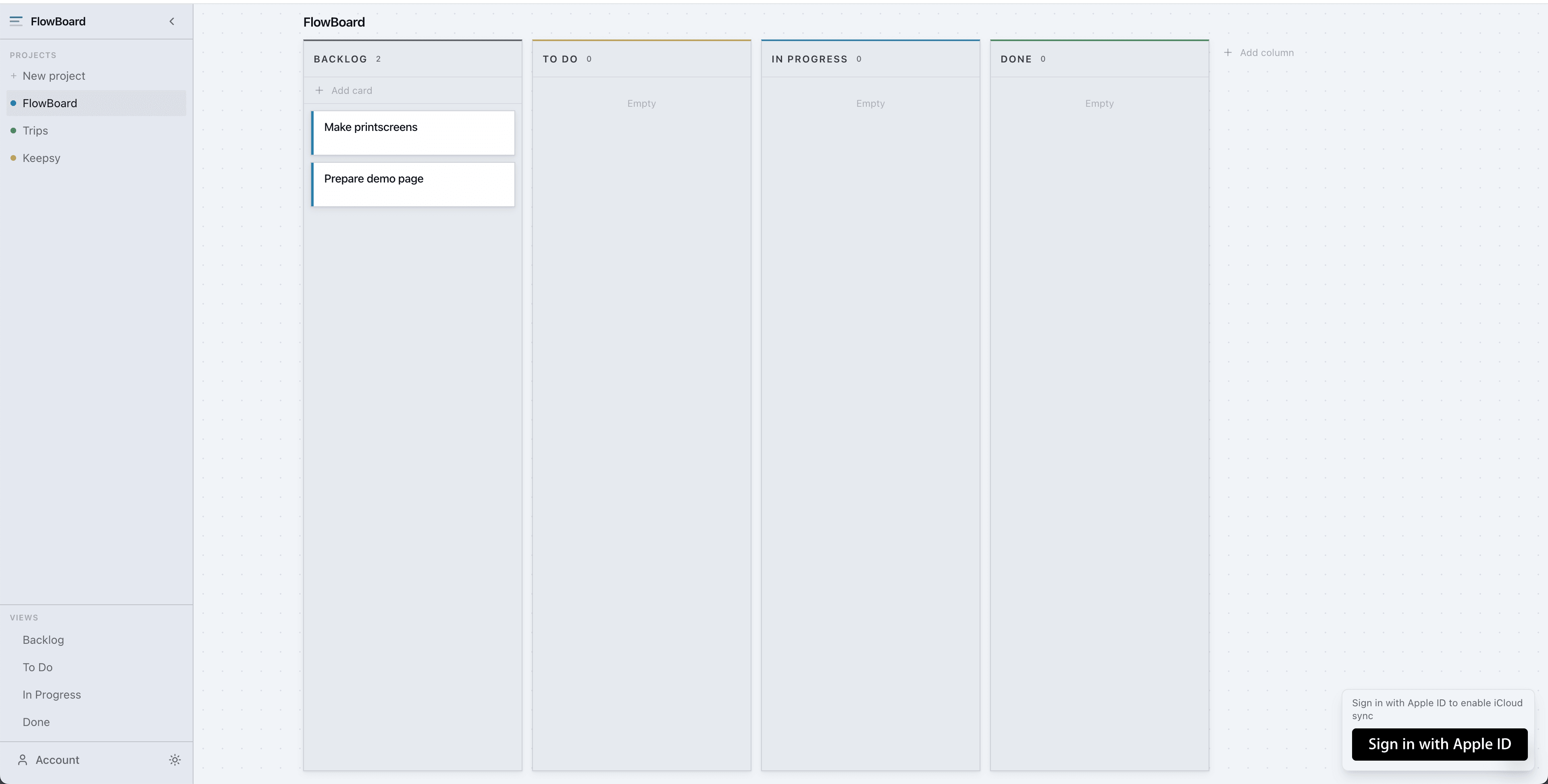
Projects and backlog
Your projects are listed at a glance with a summary of open tasks per bucket. Switch between projects or jump straight into the backlog to plan what comes next.
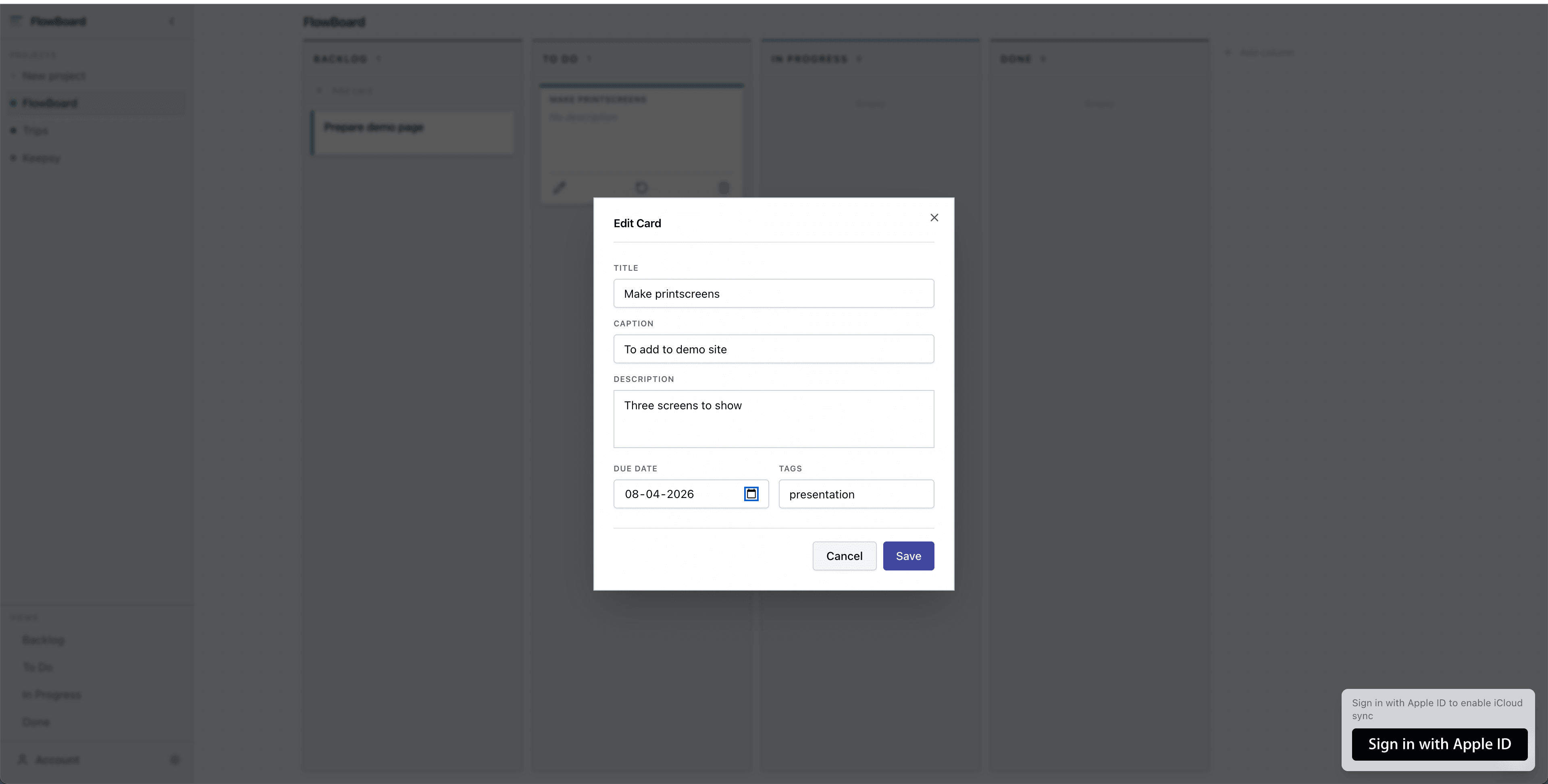
Task detail
Tap any task to open the detail view. Add notes, set a due date, and link it to a project. Everything you need, nothing you don't.
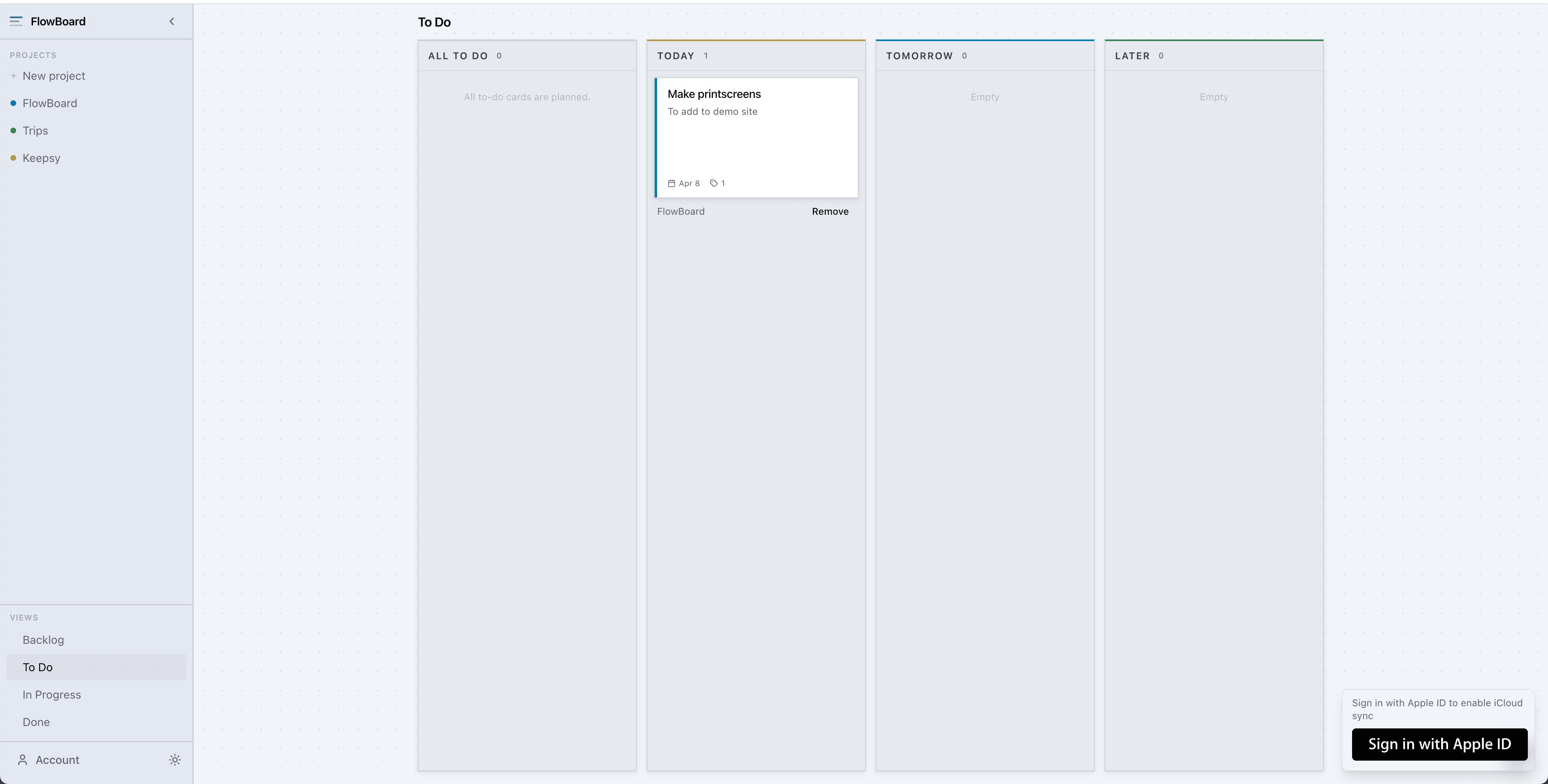
Planning mode
Pull tasks from the backlog and assign them to today or tomorrow. A quick daily ritual that keeps your board current and your priorities clear.
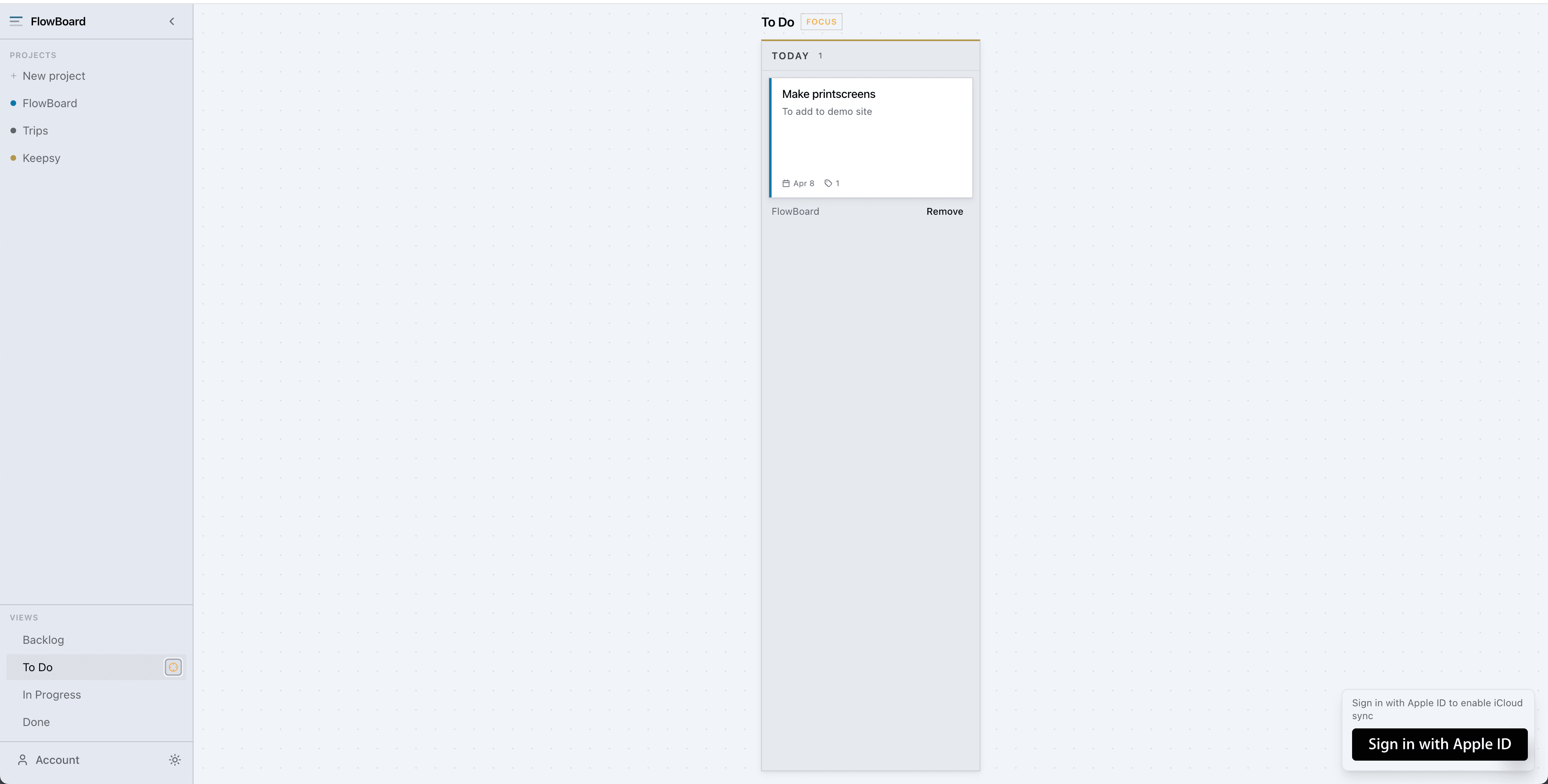
Focus mode
Strip away everything except what is due today. No backlog, no tomorrow, no distractions. Just the tasks that need to get done right now.
The problem
Why this exists
Most Kanban tools are either too heavy (Jira, Notion) or too simple. They rely on cloud subscriptions and do not integrate natively with Apple devices. Planning for today and tomorrow gets buried under too much structure.
The solution
What it does
Flowboard is a minimal task board that focuses on what matters now: today and tomorrow. It syncs across Apple devices via iCloud, requires no separate account, and stays out of your way.
- Four-column board: Backlog, Today, Tomorrow, Done
- iCloud sync across Mac, iPhone, and iPad
- No account or subscription required
- Task details with notes, due date, and project tag
What's next
On the roadmap
Recurring tasks (e.g. weekly review)
Time tracking per task
Shared boards with multi-user iCloud support
Keyboard shortcuts for power users
Mobile widget showing today's tasks
Want early access?
Flowboard is currently invitation only. Drop me a message and I will add you to the list.